Private links
A private link lets someone read one entry and its photos, without an account and without putting it on your blog.
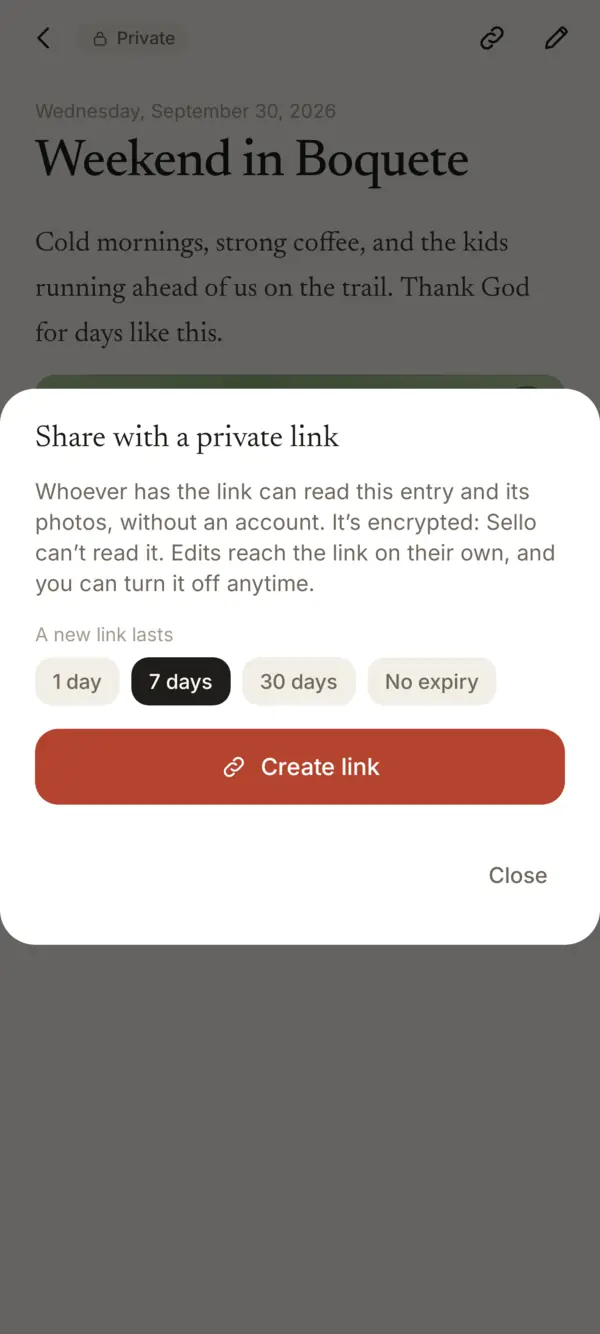
- Open the entry and tap the link icon at the top, or in the editor More › Share with a private link.
- Choose how long it lasts: 1 day, 7 days, 30 days or no expiry.
- Tap Create link and send it the way you like.
How it stays private
- The entry stays encrypted. The key to read it is in the link itself, so Sello can’t read it.
- Anyone who has the link can read it, so send it only to who you mean to.
- When you edit the entry, the link shows the new version on its own.
Turning it off
Open the same dialog and tap Turn off. The link stops working right away.
Something missing or unclear? Write to us.