Find an entry
The home screen lists your entries by month, newest first. Four tools narrow it down.
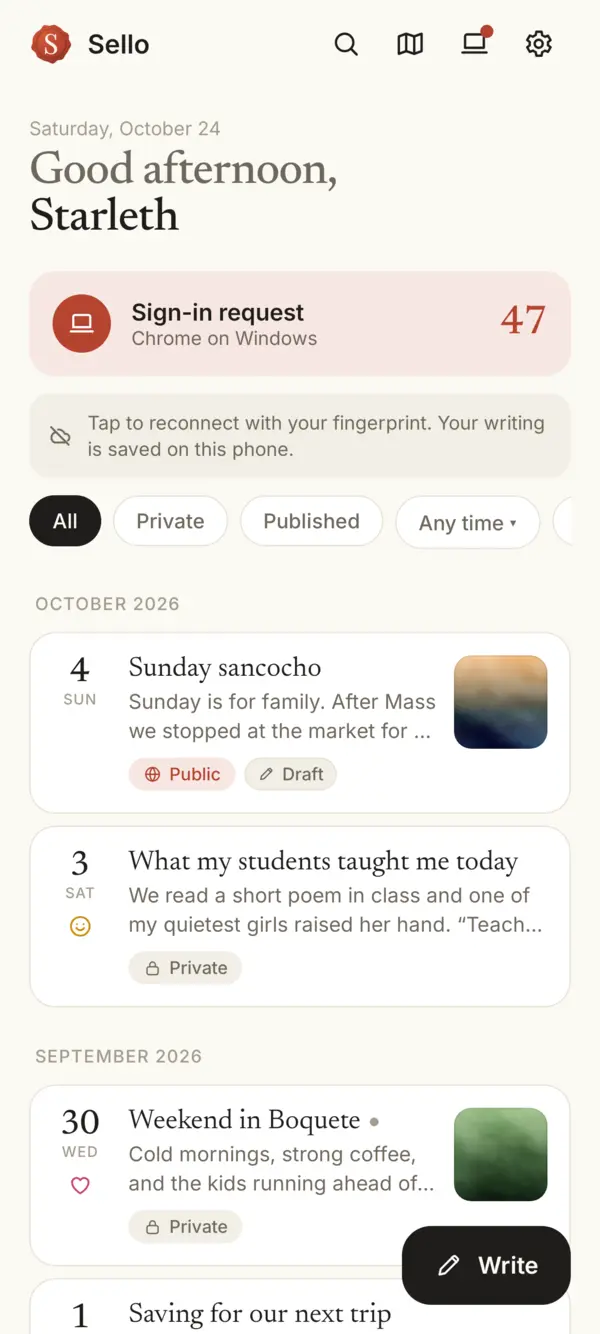

- Search: tap the magnifying glass and type a word from the title, the text, a tag or a place, or a month.
- All, Private, Published: the chips under the greeting.
- Any time: pick a month. Days with entries are marked and tinted with their mood. You can tap a day, or All months of the year.
- Mood: after the date filter, choose a mood to see its entries. Any mood clears this filter.
Search happens on your phone, so it reads your private entries too, and nothing you type is sent to us.
Something missing or unclear? Write to us.