Your backup key
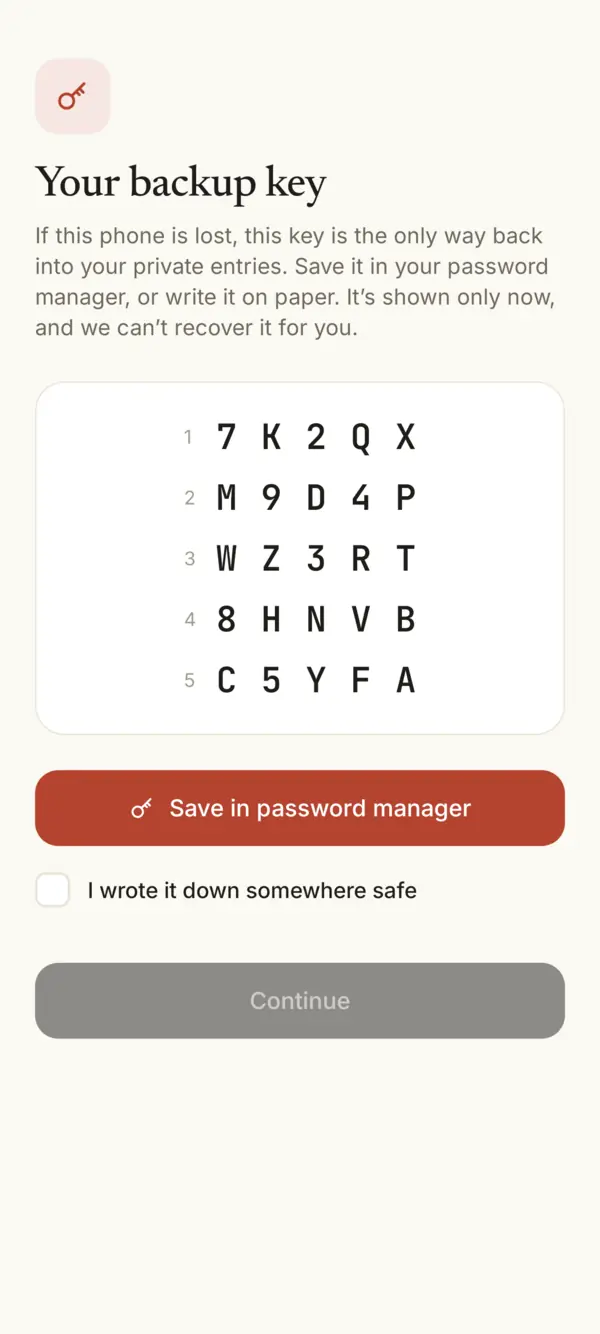
Your backup key is 25 letters and numbers. If you lose or change your phone, it’s the only way back into your private entries. We never see it, so we can’t recover it for you.
Why it matters
Your private entries are encrypted with a key that lives on your phone. The backup key opens a copy of that key. Without your phone and without the backup key, nobody can read your private entries, not even us.
Save it when you create your journal
- Tap Save in password manager. Google Password Manager, Samsung Pass, 1Password or Bitwarden keep it for you, and Sello finds it there when you recover.
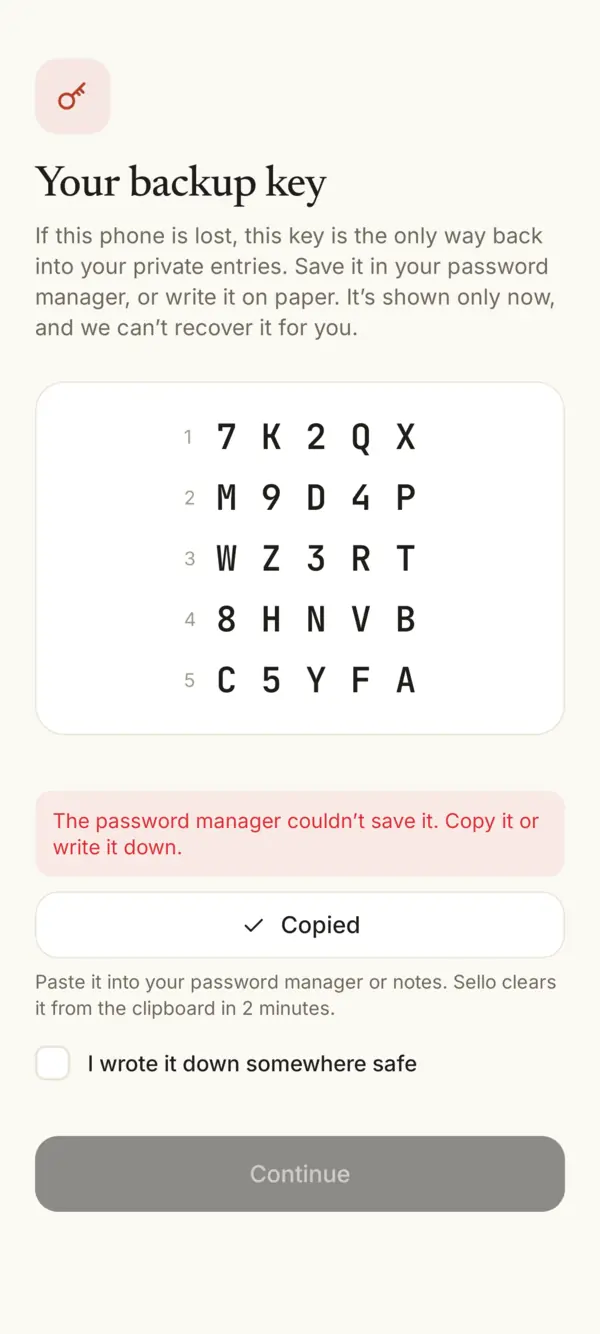
- No password manager? Sello says so and shows Copy. Paste the key into your notes or another app you trust. Sello clears it from the clipboard in 2 minutes.
- Or write it on paper and check I wrote it down somewhere safe. Then tap Continue.
Where to keep it
- A password manager is best: it’s backed up and you can find it on a new phone.
- Paper works too, at home, somewhere you’ll remember.
- Not in a photo you share or a chat: anyone who has the key and your journal name could take your journal to their phone.
Lost it, or someone saw it?
Make a new one: in the app, Settings › Security › New backup key. The old key stops working right away. Save the new one the same way.
Using it
On a new phone, install Sello and tap Recover with backup key. Type your journal name and the key, or tap Use my saved key if it’s in your password manager. Your old phone is signed out everywhere.
Something missing or unclear? Write to us.