Publish and share your blog
Your blog lives at sello.voypalante.com/yourname and shows only the entries you publish.
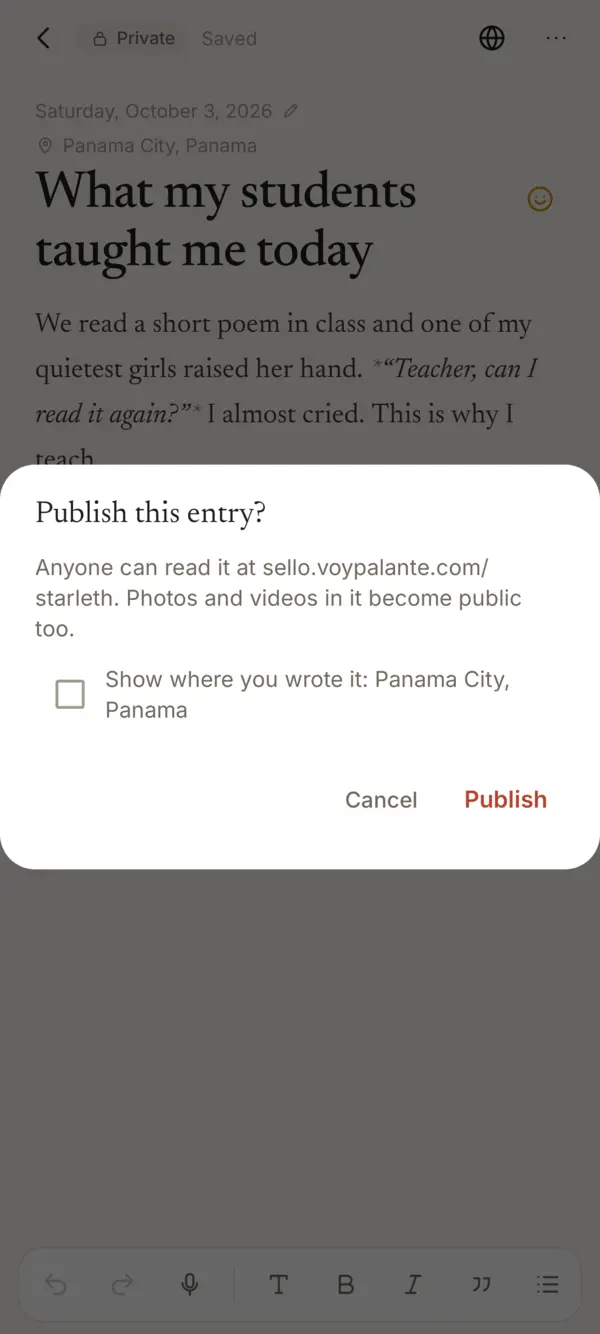
- Open the entry and tap the globe at the top.
- Check and tap Publish. Sello reminds you that anyone can read it, photos and videos included.
- Share it with More › Share link.
If the entry has a place, Show where you wrote it lets you show its name on the blog. It starts unchecked. About places.
Editing a published entry
Your changes save as a draft first, and the blog keeps showing the earlier version. Tap Update (the arrows at the top) to put them on the blog, or More › Discard changes.
Taking it down
More › Make private takes it off your blog and encrypts it again. Its photos may still open from their direct link for a few hours, from copies browsers and Cloudflare keep.
How your blog looks
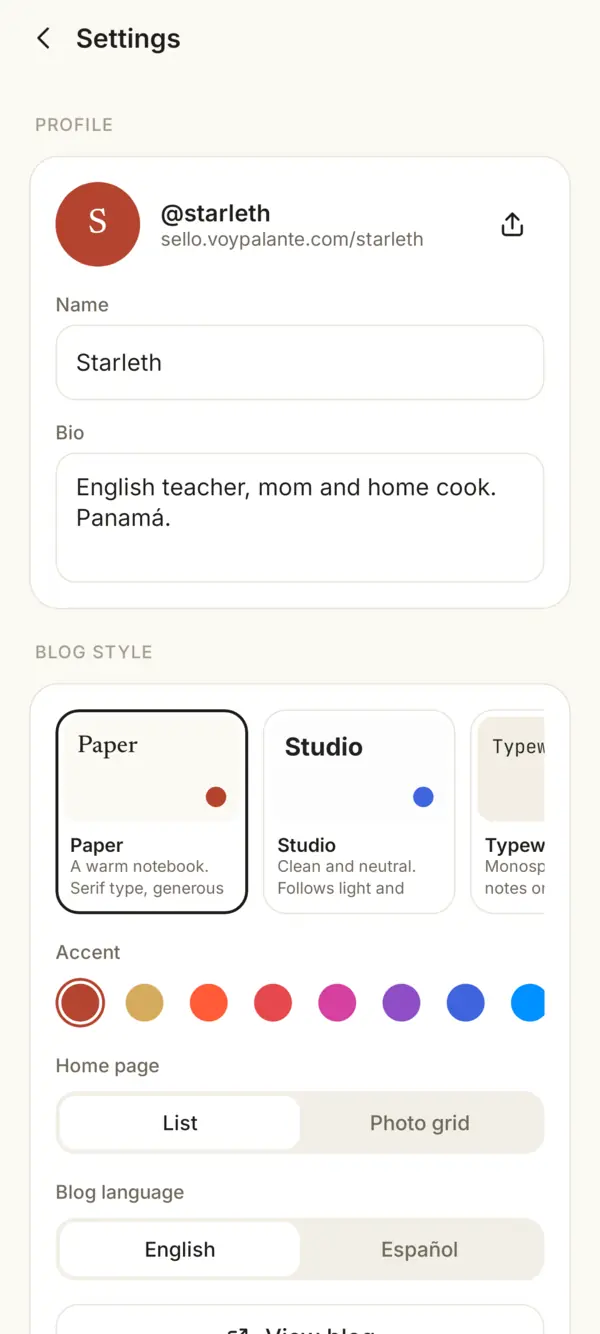
In Settings: your name and bio, the Blog style (Paper, Studio, Typewriter and more), the accent color, the Home page as a list or a photo grid, and the Blog language. View blog opens it, and the share button next to your name sends its address.
Something missing or unclear? Write to us.